I Lost $2.23 in 60 Seconds. To My Own AI Agent
This is the story of Echo — my personal AI agent — and everything that went wrong trying to build it.
A note before you read: Everything here is a first impression. I spent a few days with these tools — enough to get frustrated, lose $2.23, and crash my server once. Not enough to call myself an expert. My perception of Hermes, OpenClaw, and autonomous agents in general will probably change the more I use them. I'll update this as I learn. Take this as one builder's honest early experience, not a final review.
The Idea
I have a home server. It runs 36+ services. It backs up my photos, blocks ads for my whole family, syncs my files, and runs my automations. read how I built it
But every time I wanted to do something on demand — check a log, trigger a backup, download something directly to the server — I had to open a browser, find the right service, and click through the interface.
I had already built some automations with n8n — scheduled tasks that ran quietly in the background and sent me notifications through a separate bot. That part worked well. But it was rigid. It only did what I told it to do in advance. I wanted something smarter. Something I could just talk to.
I wanted one thing. One place. Just talk to it and it handles everything.
So I decided to build it. I called it Echo.
The First Version — One Brain, One Problem
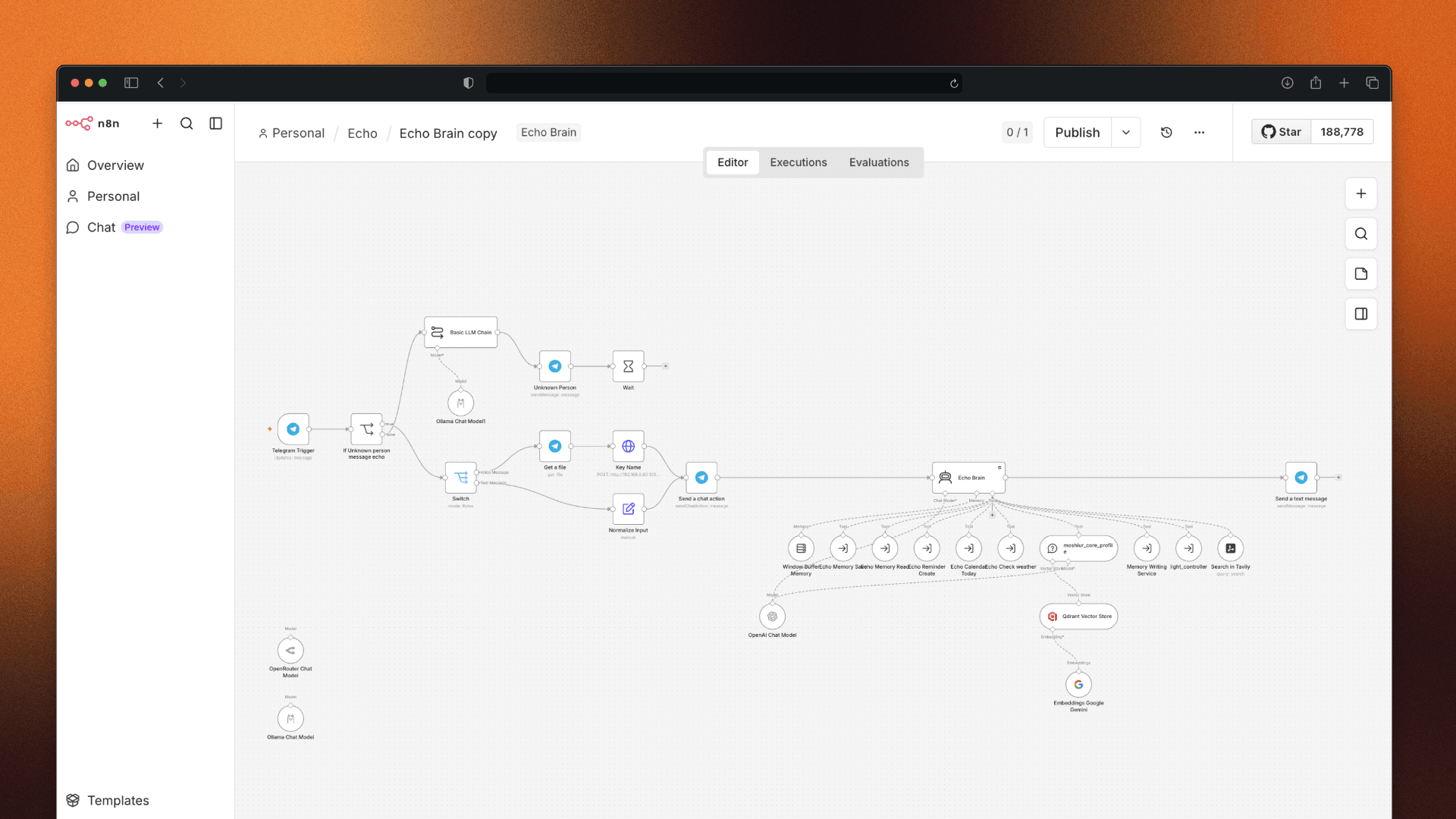
I built Echo using n8n. Two days of work. It was working.
Kind of.
The problem was simple but annoying — everything went through one AI brain. Ask Echo to turn off my light, and it would think about it. Plan it. Reason about it. Send the command. Done.
Two minutes later.
When I first built the simple version, the same task took 2-5 seconds. Now with the AI brain in the middle, every little thing became a thinking exercise. It also burned through tokens fast. Every request, no matter how small, cost something.
I tried switching models. Free ones first. Then popular open-source ones I hosted on my Mac Mini — Qwen 3, Llama, the ones everyone talks about on Reddit and HackerNews.
The problem? None of them could handle tool calling reliably. Ask something complex and they'd get confused halfway through. Sometimes they'd send me raw JSON as the answer — like they forgot there was a human on the other side.
The newer thinking models were worse in a different way. You ask a simple question and get back three paragraphs of internal monologue: "I am now considering the implications of your request..." Just answer me.
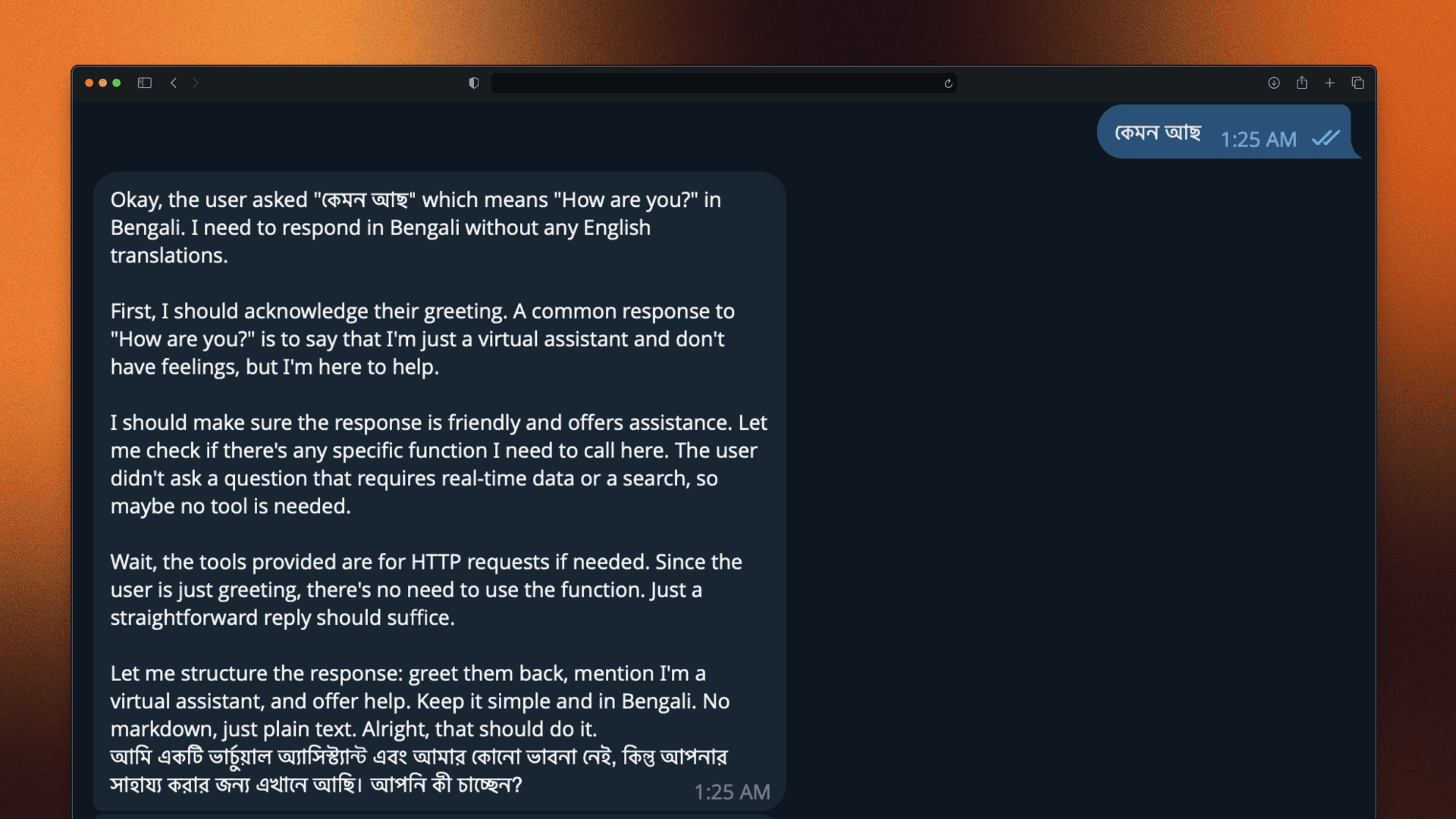
And Bengali? Completely hopeless. If I noted something in English and asked about it in Bengali the next day, Echo would stare at me blankly. My own agent, running in my own home, couldn't understand my own language.
The best model I tested was Gemini — fast, accurate, and good at following instructions. But Google kept pulling the rug. Gemini 1.5 Flash was retired. 2.0 was discontinued from the API. The replacements came with tighter rate limits, and Echo kept hitting them mid-task.
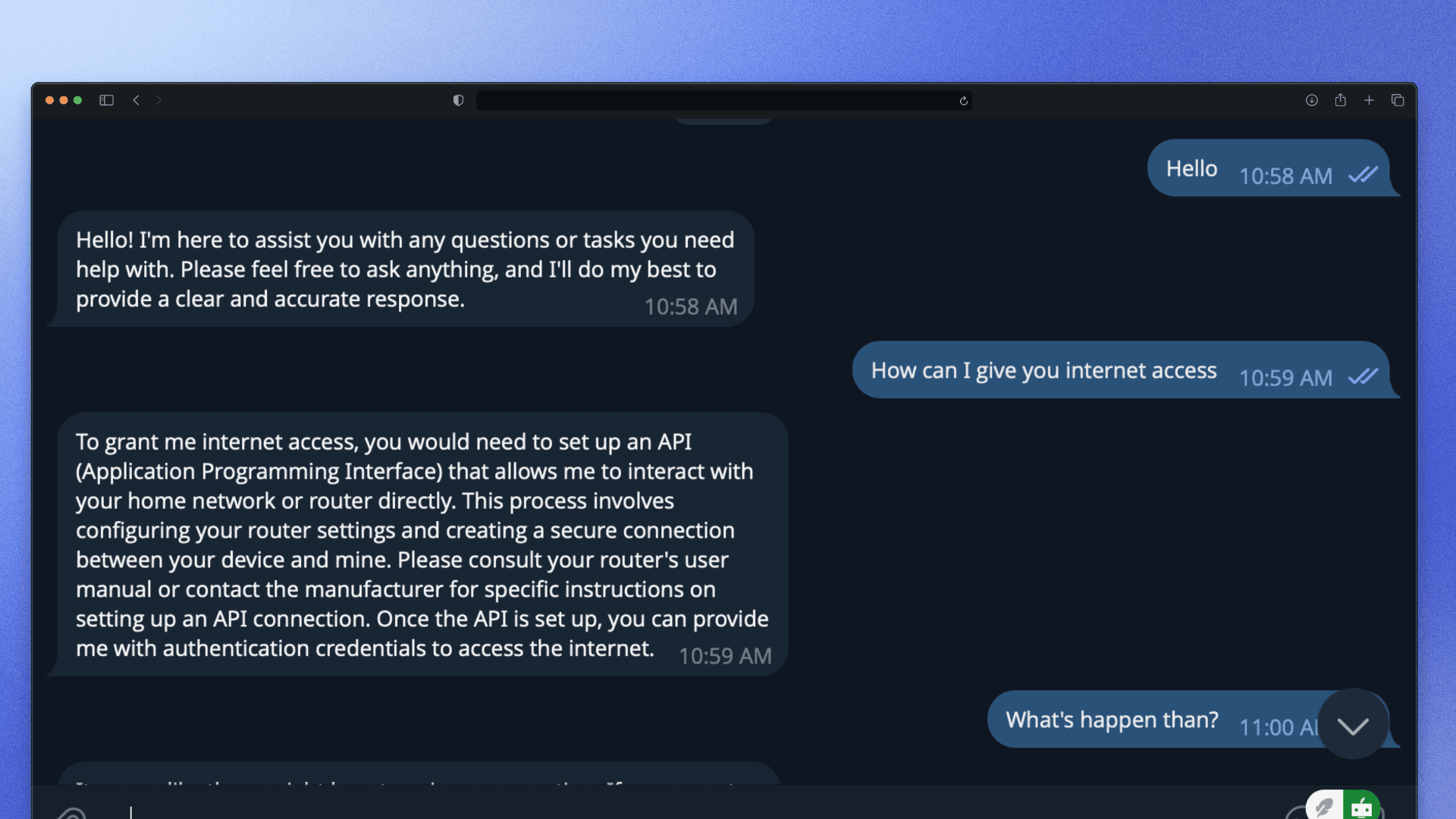
Every model had a dealbreaker. I was starting to think the problem wasn't the agent — it was that no affordable model was ready for this kind of always-on, personal use yet.
Echo v2 — Smarter Routing, Same Problems
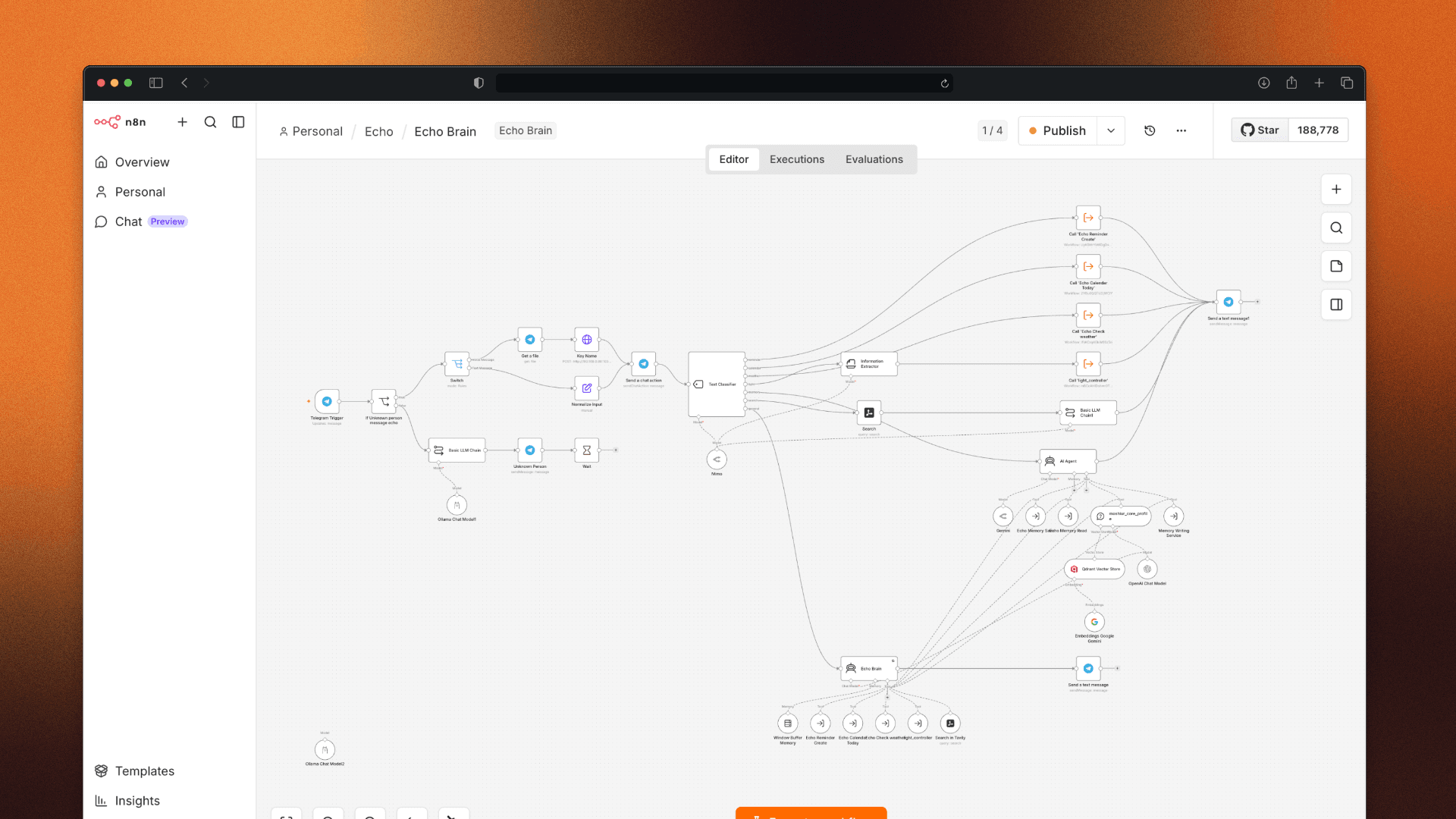
I decided to rebuild. Instead of sending every request straight to the AI brain, I added routing logic first. Categorize the task before it reaches the model. Simple tasks handled fast. Complex tasks escalated.
Less thinking. Fewer tokens. Faster responses.
For the model backend, I tried OpenRouter — a service that lets you switch between different AI models using one API. Results were okay. But the moment I asked something outside the expected patterns, the agent got confused again.
And as I kept connecting more services and adding more agents to the n8n workflow, something strange happened — the more capable I made Echo, the harder it became to use. Simple tasks started requiring multiple steps. The system grew complex faster than it grew smart.
I Gave Up
At some point I stopped fighting the models and made a decision — if no open-source model was ready for this, I'd stop trying to force it. I needed a brain that was already trained for this kind of work. Built for tool calling, built for memory, built for acting — not just answering.
That's when I started looking at autonomous agents.
Going Autonomous — The Rabbit Hole
Around this time, two projects kept appearing in my feed. Hermes and OpenClaw. Both are autonomous agents — meaning they don't just respond to a command; they plan, act, self-correct, and keep going until the job is done.


I'd been following their GitHub repos for months. Watching the stars climb. Reading the issues.
The token cost worried me. Autonomous agents don't stop after one API call — they loop, reflect, plan again, call tools, and reflect again. Every cycle costs money.
But I made a decision. I loaded $5 onto my account. Just for testing. Just to understand how these things actually work under the hood.
This was a mistake. Not because $5 is a lot. But because I didn't fully understand what I was agreeing to.
Hermes — Installation Was the Easy Part
Hermes has Docker Compose support, which is exactly what I needed. On my server, I prefer pre-built containers — building from source takes too much RAM and I've crashed things that way before.
The installation was clean. A few commands: pull the image, configure the environment file, and done.
In the env file, I set it to use a cheaper model. Gemini Flash, something like that. I saved the file. Started the container.
Somewhere in the configuration, Hermes decided not to listen to me.
It defaulted to Claude Opus — currently the most expensive model available. I didn't notice. The interface looked fine. The agent was ready.
I gave it one task.
"Scrape moshiurhridoy.com and learn about me."
Simple enough. My own website. Just read it.
Hermes started working. I watched the logs.
Sixty seconds later, a notification landed on my Telegram. I opened the OpenRouter dashboard to check.
$2.21 deducted.
One task. Not finished. $2.21.
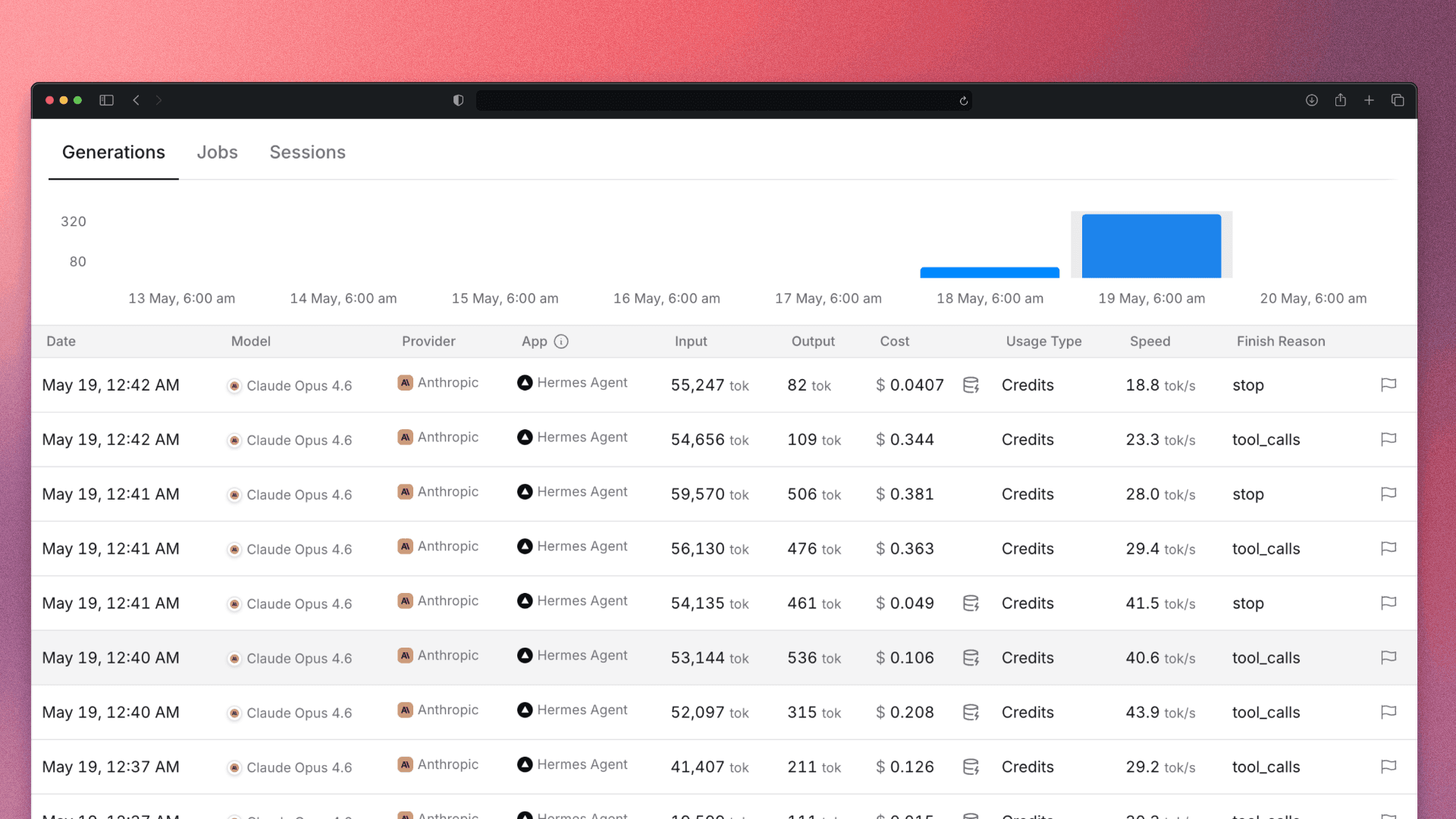
I sat with that for a moment.
At my normal daily usage rate, that was 10 to 15 days of token costs. Gone. In sixty seconds. While I watched.
I immediately switched to a cheaper model for the rest of the setup — Step 3.5 Flash, a Chinese model that costs $0.10 per million tokens. Fast, capable, and about 100 times cheaper than Opus. Should have started there.
The reason this happened is how Hermes is designed. It doesn't send one request and wait. It loops. It reads something, reflects, plans the next step, reads again, updates its memory, and reflects again. Every single loop sends a full context window to the model. Multiply that by Opus pricing, and the costs stack up faster than you expect.
Hermes is self-sufficient by design — if it gets stuck, it fixes itself and keeps going until the task is done. That's genuinely impressive. It's also genuinely expensive if you're not watching the model selection carefully.
OpenClaw — The Server Killer
I did my research. OpenClaw apparently uses fewer tokens per task — different architecture, less looping, more direct.
The installation, however, was a different story.
No official Docker Compose. To run it, you clone the repo and build it from source. I tried. My server — which runs 36+ services and lives at about 50% RAM under normal conditions — could not handle Node.js building a large project from scratch.
The server froze completely.
I had to force restart. Sat there watching the bootup sequence like I'd just crashed a car and was waiting to see if it would start again.
After it came back up, I decided never again. No more building from source on this machine.
Then I remembered — ZimaOS, the operating system running my server, has its own app store. I checked. OpenClaw was listed. Pre-built. One click.
Thirty seconds later it was running.
I opened the GUI.
And this is where it gets interesting — not in a good way.
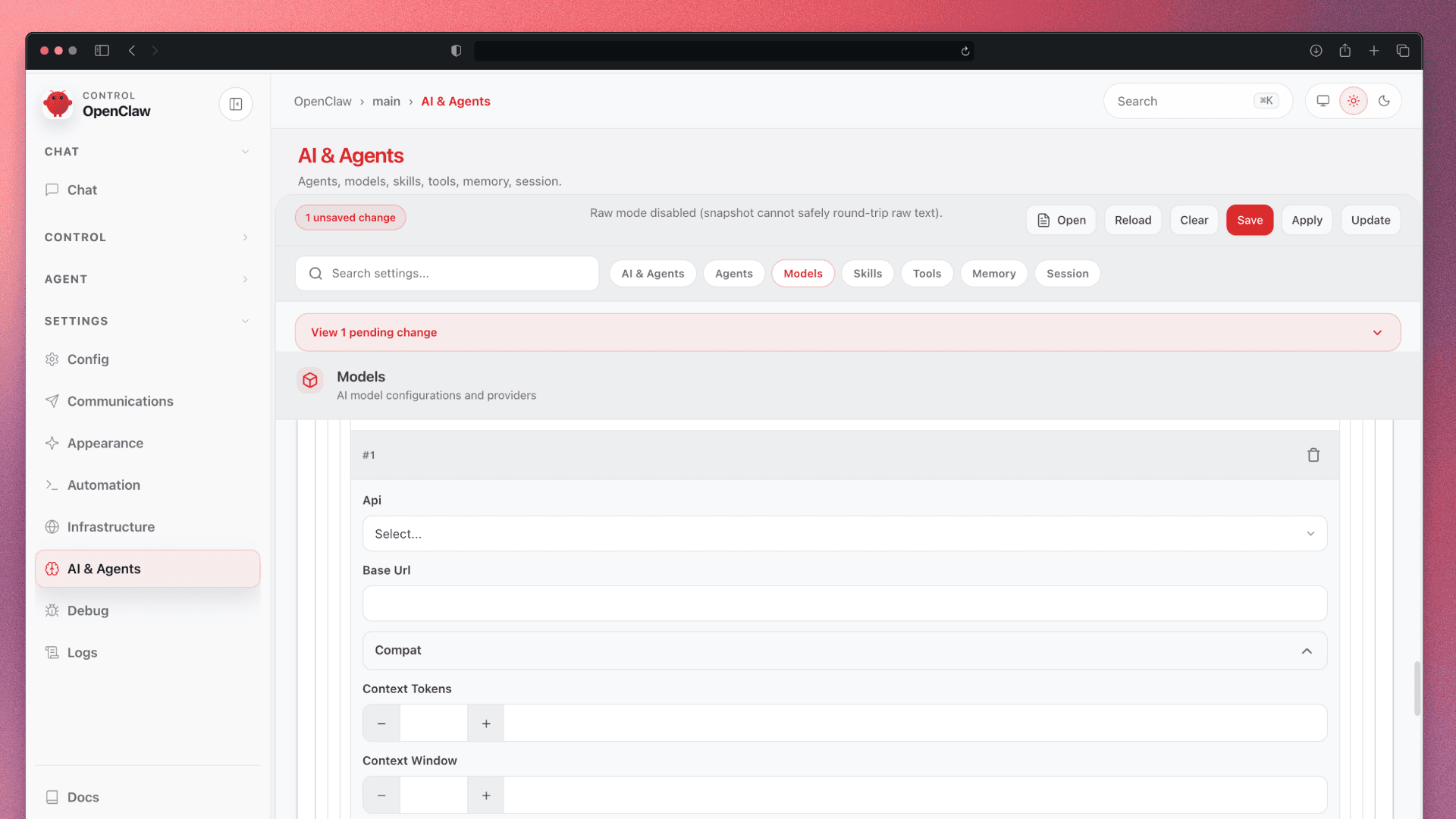
The interface was genuinely hard to understand. Not complex like a professional tool with a learning curve. Hard in the way that tells you nobody thought carefully about the user on the other side. Confusing layout. Unclear flows. You couldn't easily tell what the agent was doing, what state it was in, or what to do next.
5,000+ contributors. This was the interface they shipped.
I thought about all the conversations I've had about AI replacing designers. All the LinkedIn posts about how "designers will be automated away." And I'm sitting here looking at an AI agent that can't design its own face.
The problem isn't that AI is replacing designers. The problem is that nobody put a designer on this team.
I spent a few sessions in the CLI getting the configuration right. It was painful, but eventually it worked.
The setup process alone — just getting OpenClaw configured — burned through 7 to 19.4 million tokens. For context, Hermes finished its setup at 4 to 7 million. OpenClaw used more, had more back and forth, and had more confusion.
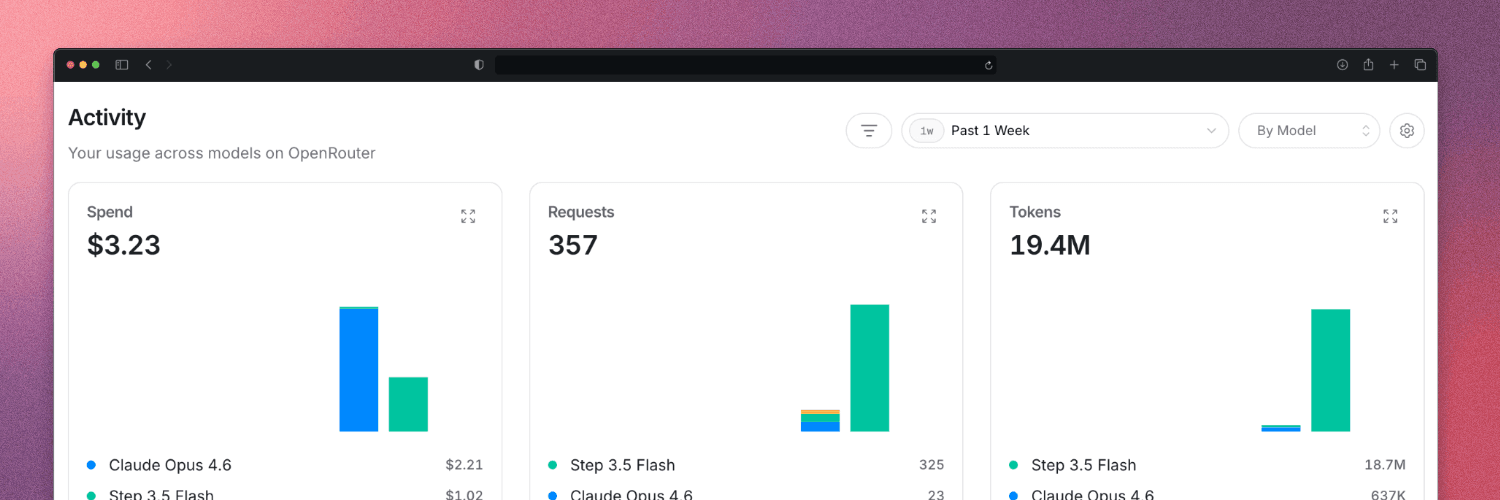
But here's the funny part — because I switched to Step 3.5 Flash for OpenClaw, the actual dollar cost ended up lower than Hermes. A cheaper model absorbing more tokens still beat an expensive model using fewer.
I genuinely don't know if the token count was normal or if I just did everything the hard way. Probably both.
Either way, both agents are now running on my server. The experiments are just beginning.
What I Actually Learned
Autonomous agents are impressive. They can do things n8n can't — research a topic for hours, find the cheapest flight while you sleep, and build a memory of who you are and what you care about.
Hermes actually builds memory. Day by day, it updates what it knows about you. That part is genuinely exciting.
But here's the honest breakdown:
Are they for everyone?
If you have money and a specific goal — yes. An autonomous agent working while you sleep is genuinely useful. Ask it to research something complex before bed, wake up to a summary. That's real value.
But they run on tokens. The model you choose determines the cost. If I had run the same OpenClaw setup using Claude, Opus, through OpenRouter for the full 18 million tokens, the bill would have been around $270. Just for setup.
n8n vs autonomous agents
n8n is better for fast, predictable tasks — turn on the light, send the email, and trigger the backup. Reliable and cheap.
Autonomous agents are better for open-ended research and multi-step decisions. They're not replacements for each other — they're different tools.
The UX gap is real
The biggest unsolved problem in this whole space isn't token cost. It's the interface. These tools are powerful and inaccessible. They're built by engineers for engineers.
That gap is solvable. Someone will solve it. I think about that a lot.
Echo is still running. Still learning. Still occasionally costing me more than expected.
But it turns off my lights in 3 seconds now. So we're making progress.
Have you tried running autonomous agents locally? I'd genuinely like to know how others are managing the token cost problem.